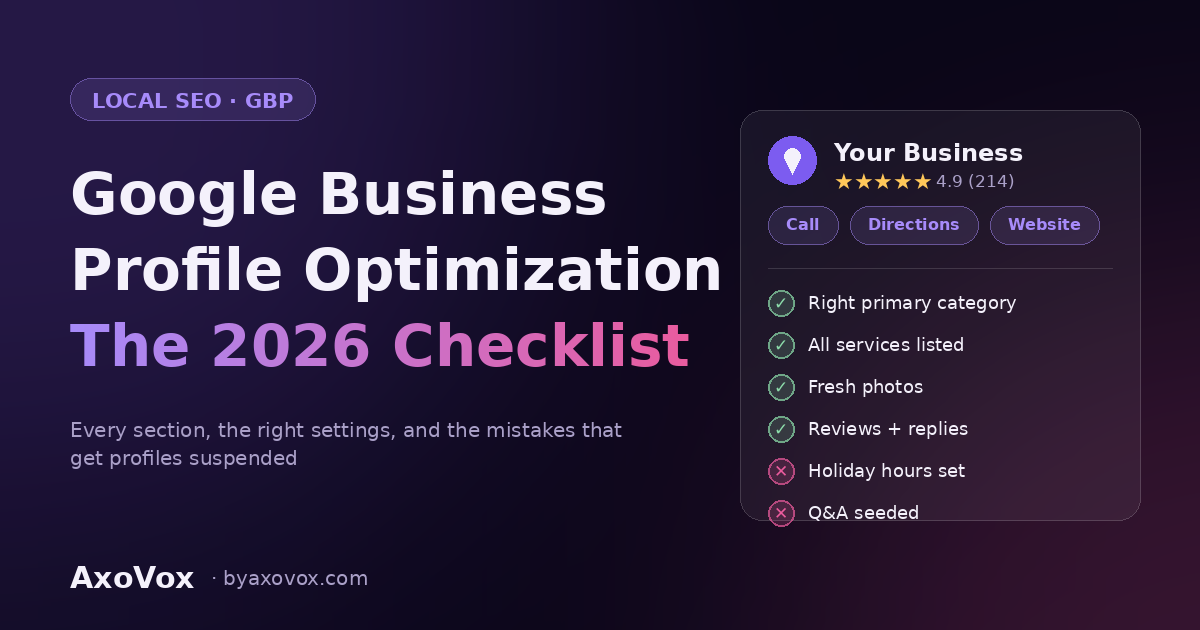
Google Business Profile optimization means completing and maintaining every section Google gives you, exact business info, the right categories, all services listed, fresh photos, active reviews with replies, and regular updates. A complete, active profile outranks a claimed-and-forgotten one in the map pack, and it’s the single highest-leverage free asset in local marketing. Here’s the full 2026 checklist, in working order.
Why this one profile outweighs your whole website (for local search)
When someone nearby searches for what you do, Google shows the map pack first, three businesses, chosen largely from Business Profile data. Your website supports the profile; the profile wins the click. And it now feeds a second audience: AI assistants pull business details, reviews, and attributes from profile data when someone asks “who’s good near me.” Most profiles we audit are 40-60% complete, which means most of your competitors are leaving this layup on the table.
1. The basics — where suspensions are born
First things first: if you haven’t claimed and verified the profile yet (search your business on Google Maps → “Own this business?”), do that before anything else, nothing below is editable until Google confirms ownership, usually by video, postcard, or phone. And yes, this is the same thing that used to be called Google My Business (GMB); Google renamed it in 2021, and half the internet didn’t notice.
- Business name: your real-world name only. Adding keywords (“Cohen Plumbing, Best Emergency Plumber”) violates Google’s rules and is a leading cause of profile suspensions. A suspended profile means weeks of appeals while you’re invisible. Not worth it.
- NAP consistency: name, address, phone, identical everywhere. Profile, website, and directory listings should match character for character. Mismatched NAP data erodes Google’s confidence in who you are, and low confidence means lower ranking.
- Address or service area, pick honestly. Storefront customers visit: show the address. You go to them: hide the address, set service areas. A fake or virtual address is the other big suspension trigger.
- Phone and website: a local number matches better than a call-center 800 line, and the website link should hit your homepage, or the matching service page if the profile is for one location among several.
- Hours, including holiday hours. “Hours might differ” warnings suppress clicks. Set special hours for every holiday now; searchers hate arriving at a closed door, and Google knows they hate it.
2. Categories — the strongest ranking lever on the profile
Your primary category decides which searches you can win. It should describe your core business precisely, “Plumber,” not “Contractor”, and the fastest way to sanity-check it is to look up what the top three competitors in your city chose. Then add secondary categories, Google allows up to nine, for every real thing you do: each one unlocks additional searches. Review these quarterly; Google adds and renames categories constantly, and a better-fitting one may have appeared since you set up.
3. Services and products: the section everyone half-fills
List every service, not the five obvious ones, each with the description field actually filled in, including what’s included, honest price ranges where you can, and your city or area worked in naturally (“water heater replacement across the Jerusalem area” beats a bare service name). These entries match against specific searches (“water heater replacement” vs just “plumber”) and give AI assistants concrete details to repeat. Retail or restaurants: same logic with products and menu items, with photos.
4. The description: 750 characters, front-loaded
Google truncates the description in most views, so the first sentence carries it: what you do, for whom, where. Write for a human deciding between three map results, mention your city and core services naturally, and skip the “leading provider of innovative solutions” filler, it says nothing to people and less to machines.
5. Photos: real ones, on a rhythm
Profiles with regular, real photos earn more clicks, calls, and direction requests than stock-photo profiles. The working set: exterior (so people recognize the place), interior, the team, work in progress, and finished results. Then the habit: a few new photos every two or three weeks, forever. One dump of 40 photos from 2023 reads as abandoned, to customers and to Google.
6. Reviews: the engine, not the afterthought
Review quantity, recency, and your replies move map ranking, convert the undecided, and feed AI recommendations. The short version: get your direct review link, ask every customer at the moment they’re happiest, and reply to everything, good and bad, within 24-48 hours. In replies, mention the service and your area naturally (“glad the boiler installation in Rehavia went smoothly”), it reads as personal to customers and as relevance to Google. Vary the wording; ten identical keyword-laden replies read as spam to both. The complete system, including what’s against the rules (buying, incentives, review gating), is in our full guide to getting more Google reviews.
7. Updates (posts): proof of life
Weekly updates, an offer, a finished project, a seasonal note, signal an active business. They don’t move ranking much on their own, but they fill your profile with fresh content searchers see before choosing, and dormant profiles bleed trust. Batch a month of them in 30 minutes.
8. Q&A: seed it before strangers do
The Q&A section is public and anyone can answer, including competitors and confused customers. Little-known and completely allowed: you can post the questions yourself and answer them. Add your real top ten, parking, payment methods, service areas, emergency availability, with clear answers. This is also prime material for AI assistants quoting your profile.
9. Attributes, booking, and messaging
Tick every attribute that applies, accessibility, payments, amenities, identity attributes if you want them shown. They’re filters people actually use. Add your booking link if you take appointments. Turn on messaging only if someone will answer within a few hours; a chat channel nobody monitors is worse than none.
10. The 15-minute monthly maintenance
Set a recurring slot: check the Performance tab (calls, direction requests, website clicks, which search terms found you), confirm no “suggested edits” changed your info without you noticing, Google lets users propose edits and sometimes applies them, answer new Q&A, post photos, and scan for duplicate listings. Profiles decay by default; fifteen minutes a month is the entire cost of staying sharp.
The three mistakes that undo everything
- Keywords stuffed into the business name, suspension bait, covered above, worth repeating because it’s the #1 “growth hack” that backfires.
- Duplicate listings, old addresses, rebrands, or an overeager employee creating a second profile split your reviews and confuse ranking. Find and merge or remove them.
- Set-and-forget, the profile that was perfect in January and untouched since is losing to the mediocre profile that posts weekly. Activity is the tiebreaker.
Frequently asked questions
Is Google My Business the same as Google Business Profile?
Yes, Google renamed Google My Business (GMB) to Google Business Profile in 2021 and folded management into Search and Maps directly. Everything in this checklist applies regardless of which name you learned it under; if a guide still says “GMB dashboard,” it’s describing an interface that no longer exists.
How long until profile changes affect ranking?
Info edits show within days; ranking movement from category fixes and new activity typically takes a few weeks to a couple of months. Reviews and engagement compound over quarters. The profile is a flywheel, not a switch.
Can I add keywords to my business name if competitors do?
No, their profiles are violating guidelines and living on borrowed time. You can report them via “Suggest an edit.” Getting suspended trying to match a cheater is the worst trade in local SEO.
Do Google Business Profile posts help ranking?
Directly, only a little. Indirectly, meaningfully: they keep the profile active, occupy space searchers see before choosing, and add fresh content for both Google and AI assistants to read. Think conversion asset with a ranking side-effect.
I work from home: should I show my address?
No. Hide the address and set service areas instead. Showing a residential address you don’t serve customers at risks both your privacy and a guidelines flag. Service-area businesses rank in their areas without a public address.
Is a Google Business Profile enough, or do I still need a website?
You need both. The profile wins the map pack; the website catches everything else, holds the content AI systems cite, and is the only property you fully own. They rank better together, matching name, phone, and services across both is part of the checklist.
The bottom line
Google Business Profile optimization isn’t a one-time setup, it’s a complete profile plus a small, permanent habit: photos on a rhythm, reviews on a system, updates weekly, maintenance monthly. Almost nobody in your city does all of it, which is precisely why the ones who do sit in the map pack collecting the calls.
Want to know your profile’s actual completeness score, and what’s costing you calls right now? Send us your business name and city, and we’ll audit the profile against this checklist and show you the gaps, in plain numbers.
Google Business Profile optimization means completing and maintaining every section Google gives you — exact business info, the right categories, all services listed, fresh photos, active reviews with replies, and regular updates. A complete, active profile outranks a claimed-and-forgotten one in the map pack, and it’s the single highest-leverage free asset in local marketing. Here’s the full 2026 checklist, in working order.
Why this one profile outweighs your whole website (for local search)
When someone nearby searches for what you do, Google shows the map pack first — three businesses, chosen largely from Business Profile data. Your website supports the profile; the profile wins the click. And it now feeds a second audience: AI assistants pull business details, reviews, and attributes from profile data when someone asks “who’s good near me.” Most profiles we audit are 40–60% complete, which means most of your competitors are leaving this layup on the table.
1. The basics — where suspensions are born
First things first: if you haven’t claimed and verified the profile yet (search your business on Google Maps → “Own this business?”), do that before anything else — nothing below is editable until Google confirms ownership, usually by video, postcard, or phone. And yes, this is the same thing that used to be called Google My Business (GMB); Google renamed it in 2021, and half the internet didn’t notice.
- Business name: your real-world name only. Adding keywords (“Cohen Plumbing — Best Emergency Plumber”) violates Google’s rules and is a leading cause of profile suspensions. A suspended profile means weeks of appeals while you’re invisible. Not worth it.
- NAP consistency: name, address, phone — identical everywhere. Profile, website, and directory listings should match character for character. Mismatched NAP data erodes Google’s confidence in who you are, and low confidence means lower ranking.
- Address or service area — pick honestly. Storefront customers visit: show the address. You go to them: hide the address, set service areas. A fake or virtual address is the other big suspension trigger.
- Phone and website: a local number matches better than a call-center 800 line, and the website link should hit your homepage — or the matching service page if the profile is for one location among several.
- Hours, including holiday hours. “Hours might differ” warnings suppress clicks. Set special hours for every holiday now; searchers hate arriving at a closed door, and Google knows they hate it.
2. Categories — the strongest ranking lever on the profile
Your primary category decides which searches you can win. It should describe your core business precisely — “Plumber,” not “Contractor” — and the fastest way to sanity-check it is to look up what the top three competitors in your city chose. Then add secondary categories — Google allows up to nine — for every real thing you do: each one unlocks additional searches. Review these quarterly; Google adds and renames categories constantly, and a better-fitting one may have appeared since you set up.
3. Services and products — the section everyone half-fills
List every service, not the five obvious ones — each with the description field actually filled in, including what’s included, honest price ranges where you can, and your city or area worked in naturally (“water heater replacement across the Jerusalem area” beats a bare service name). These entries match against specific searches (“water heater replacement” vs just “plumber”) and give AI assistants concrete details to repeat. Retail or restaurants: same logic with products and menu items, with photos.
4. The description — 750 characters, front-loaded
Google truncates the description in most views, so the first sentence carries it: what you do, for whom, where. Write for a human deciding between three map results, mention your city and core services naturally, and skip the “leading provider of innovative solutions” filler — it says nothing to people and less to machines.
5. Photos — real ones, on a rhythm
Profiles with regular, real photos earn more clicks, calls, and direction requests than stock-photo profiles. The working set: exterior (so people recognize the place), interior, the team, work in progress, and finished results. Then the habit: a few new photos every two or three weeks, forever. One dump of 40 photos from 2023 reads as abandoned — to customers and to Google.
6. Reviews — the engine, not the afterthought
Review quantity, recency, and your replies move map ranking, convert the undecided, and feed AI recommendations. The short version: get your direct review link, ask every customer at the moment they’re happiest, and reply to everything — good and bad — within 24–48 hours. In replies, mention the service and your area naturally (“glad the boiler installation in Rehavia went smoothly”) — it reads as personal to customers and as relevance to Google. Vary the wording; ten identical keyword-laden replies read as spam to both. The complete system, including what’s against the rules (buying, incentives, review gating), is in our full guide to getting more Google reviews.
7. Updates (posts) — proof of life
Weekly updates — an offer, a finished project, a seasonal note — signal an active business. They don’t move ranking much on their own, but they fill your profile with fresh content searchers see before choosing, and dormant profiles bleed trust. Batch a month of them in 30 minutes.
8. Q&A — seed it before strangers do
The Q&A section is public and anyone can answer — including competitors and confused customers. Little-known and completely allowed: you can post the questions yourself and answer them. Add your real top ten — parking, payment methods, service areas, emergency availability — with clear answers. This is also prime material for AI assistants quoting your profile.
9. Attributes, booking, and messaging
Tick every attribute that applies — accessibility, payments, amenities, identity attributes if you want them shown. They’re filters people actually use. Add your booking link if you take appointments. Turn on messaging only if someone will answer within a few hours; a chat channel nobody monitors is worse than none.
10. The 15-minute monthly maintenance
Set a recurring slot: check the Performance tab (calls, direction requests, website clicks, which search terms found you), confirm no “suggested edits” changed your info without you noticing — Google lets users propose edits and sometimes applies them — answer new Q&A, post photos, and scan for duplicate listings. Profiles decay by default; fifteen minutes a month is the entire cost of staying sharp.
The three mistakes that undo everything
- Keywords stuffed into the business name — suspension bait, covered above, worth repeating because it’s the #1 “growth hack” that backfires.
- Duplicate listings — old addresses, rebrands, or an overeager employee creating a second profile split your reviews and confuse ranking. Find and merge or remove them.
- Set-and-forget — the profile that was perfect in January and untouched since is losing to the mediocre profile that posts weekly. Activity is the tiebreaker.
Frequently asked questions
Is Google My Business the same as Google Business Profile?
Yes — Google renamed Google My Business (GMB) to Google Business Profile in 2021 and folded management into Search and Maps directly. Everything in this checklist applies regardless of which name you learned it under; if a guide still says “GMB dashboard,” it’s describing an interface that no longer exists.
How long until profile changes affect ranking?
Info edits show within days; ranking movement from category fixes and new activity typically takes a few weeks to a couple of months. Reviews and engagement compound over quarters. The profile is a flywheel, not a switch.
Can I add keywords to my business name if competitors do?
No — their profiles are violating guidelines and living on borrowed time. You can report them via “Suggest an edit.” Getting suspended trying to match a cheater is the worst trade in local SEO.
Do Google Business Profile posts help ranking?
Directly, only a little. Indirectly, meaningfully: they keep the profile active, occupy space searchers see before choosing, and add fresh content for both Google and AI assistants to read. Think conversion asset with a ranking side-effect.
I work from home — should I show my address?
No. Hide the address and set service areas instead. Showing a residential address you don’t serve customers at risks both your privacy and a guidelines flag. Service-area businesses rank in their areas without a public address.
Is a Google Business Profile enough, or do I still need a website?
You need both. The profile wins the map pack; the website catches everything else, holds the content AI systems cite, and is the only property you fully own. They rank better together — matching name, phone, and services across both is part of the checklist.
The bottom line
Google Business Profile optimization isn’t a one-time setup — it’s a complete profile plus a small, permanent habit: photos on a rhythm, reviews on a system, updates weekly, maintenance monthly. Almost nobody in your city does all of it, which is precisely why the ones who do sit in the map pack collecting the calls.
Want to know your profile’s actual completeness score — and what’s costing you calls right now? Send us your business name and city, and we’ll audit the profile against this checklist and show you the gaps, in plain numbers.