You send a quote, and the customer swears it never arrived. Your newsletter goes to 300 people and gets four opens. You email from your own business address and watch replies simply… not come. Somewhere between your outbox and their eyes, your messages are being quietly filed as junk.
Here’s the part almost nobody tells small business owners: this is usually not about your wording. Not the word “free,” not too many exclamation marks, not the emoji in your subject line. Since 2024, Gmail and Yahoo enforce technical sender requirements, and mail that fails them gets junked or rejected no matter how politely it’s written. Your emails aren’t bad. They’re unauthenticated.
Authentication lives in three DNS records most businesses have never heard of, takes under an hour to set up once, and fixes the majority of “everything lands in spam” cases on its own. Here’s the check, the fix, and the habits that keep you in the inbox afterward.
The 5-minute check
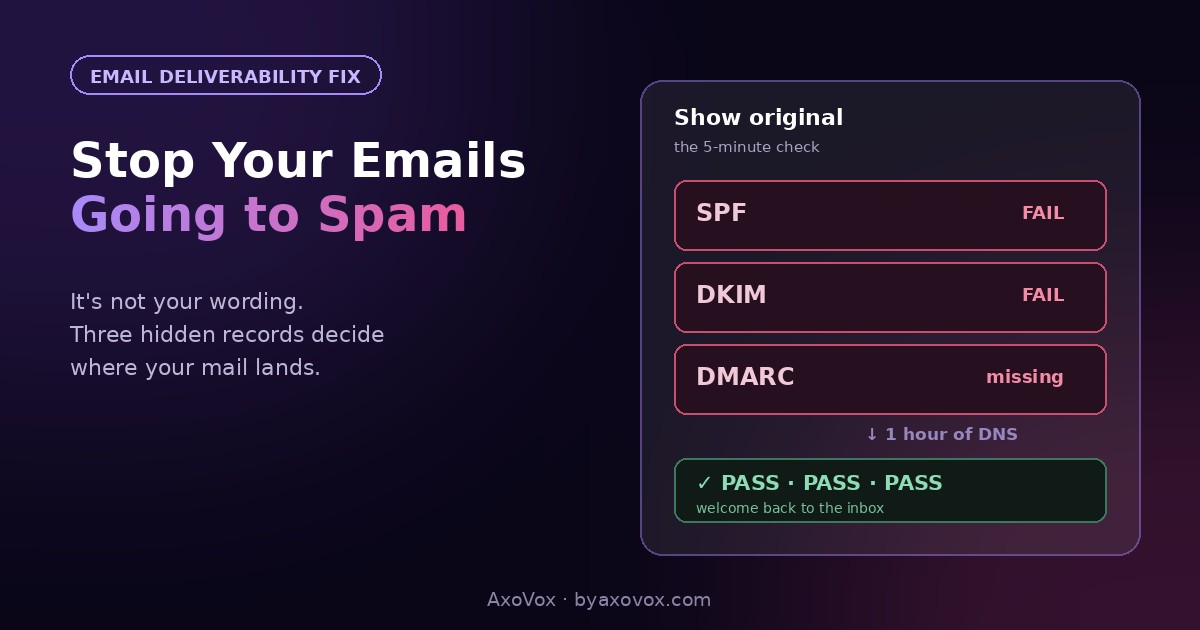
Send an email from your business address to a Gmail account you control. If it lands in spam, open it anyway, click the three dots → Show original. At the top you’ll see three verdicts: SPF, DKIM, DMARC, each marked PASS or FAIL.
Any FAIL (or a missing row): you’ve found the real problem, and it’s fixable today. All three PASS but you’re still in spam: skip to the troubleshooting section.
Why your emails get flagged
Email has an identity problem: anyone can put any “from” address on a message, and scammers built an industry on it. The mailbox providers’ answer is authentication, three DNS records that let your domain cryptographically vouch for its own mail:
- SPF lists which servers are allowed to send email as your domain.
- DKIM adds a digital signature proving the message wasn’t forged or altered.
- DMARC tells receivers what to do with mail that fails the first two, and reports back.
In February 2024, Gmail and Yahoo stopped treating these as nice-to-have for senders of bulk email, and in practice raised the bar for everyone: unauthenticated mail from a custom domain now starts every delivery with a strike against it. Big companies have IT departments that set this up years ago. Small businesses have a domain bought in 2019, email that “just worked” until it didn’t, and no idea a hidden layer exists. That gap, not your subject lines, is usually the whole story.
The fix, step by step
Step 1: authenticate your domain (under an hour, once)
- Find where your domain’s DNS lives: your registrar (GoDaddy, Namecheap…), your host, or Cloudflare
- If you send newsletters through a platform (Mailchimp, MailerLite, Brevo, Klaviyo…): open its “domain authentication” or “verify domain” page. It hands you the exact SPF/DKIM records to paste into DNS, then verifies them. Follow that, it’s the whole job
- For your everyday mail (Google Workspace, Microsoft 365): their admin consoles do the same, search the provider’s help for “set up SPF DKIM”
- Add a basic DMARC record: a TXT record at
_dmarc.yourdomain.comwith the valuev=DMARC1; p=none; rua=mailto:you@yourdomain.com. This satisfies the requirement and emails you reports; tighten the policy later
Re-run the 5-minute check after a few hours. Three PASSes is the goal.
Step 2: remove the remaining flags (30 minutes)
- Send from your domain, never from a free @gmail.com address through a newsletter tool; that combination now fails DMARC by design
- Make unsubscribing effortless: the one-click unsubscribe header (your email platform has a setting) plus a visible link. Hiding it doesn’t keep subscribers; it converts them into spam complaints, and complaints are the metric that kills sender reputation
- Fill in a real physical address and business name in the footer; required by law and read as legitimacy signals
- Balance your content: an email that is one giant image with no text, or twelve links in eight lines, still trips filters. Mostly text, a few links, like a human wrote it
Step 3: send like a business people want mail from
- Email people who signed up, only. Purchased and scraped lists produce complaint rates no authentication can survive
- Keep a rhythm: monthly-or-so beats silence-then-blast. Sudden volume spikes from a quiet domain look like a hijacked account
- Clean the list twice a year: remove addresses that bounced or haven’t opened in a year. Filters judge you by how the people you mail react
So the “spammy words” advice was a myth?
Mostly, yes. Word lists mattered in 2009; modern filters weigh authentication, sender reputation and recipient behavior (opens, replies, deletes-without-reading, complaints) far more than vocabulary. Write “FREE!!!” in an authenticated, well-regarded email and it lands fine; write a perfectly professional message from an unauthenticated domain and it doesn’t. Fix the layer that matters first. The one content exception: link-stuffed, image-only emails still hurt, per step 2.
If you’re still landing in spam
All three records pass, spam anyway. Reputation lags fixes by days to a few weeks; keep sending normally to engaged recipients and it climbs. Ask a few good customers to drag one email to the inbox and reply; recipient actions retrain filters faster than anything you can do alone.
Only some recipients junk you. Check whether they share a provider (all Outlook, say); each mailbox provider scores you separately, and corporate filters add their own layer the recipient’s IT can whitelist.
It started suddenly after years of fine. Something changed: a new sending tool, a big list import, a compromised mailbox quietly sending spam from your domain. Check your sent folder and recent DNS/tool changes; the 2024 rules also simply caught up with many previously-tolerated domains.
You mailed a purchased list once. The complaint spike can dent a domain for months. Stop, return to opt-in-only, and let consistent clean sending repair it; there’s no faster lever.
You want the full diagnosis. Google’s free Postmaster Tools shows your domain’s reputation as Gmail sees it, and free testers like mail-tester.com grade an individual email’s setup in one send. Between the two, nothing stays mysterious.
Why this is worth an hour of your life
Email is still the highest-ROI channel a small business has, returning $36-42 per dollar, and welcome emails alone see open rates around 68%. Every number in that sentence assumes the mail arrives. An unauthenticated domain quietly taxes all of it: the quotes, the invoices, the review requests, the newsletter you finally started. One hour of DNS work removes the tax on everything you’ll ever send. The system for what to send once you reliably land is our email marketing guide, and it works a lot better after this page.
Common questions
Why are my business emails going to spam?
Most commonly: your domain isn’t authenticated. Gmail and Yahoo enforce SPF, DKIM and DMARC checks, and mail failing them gets junked regardless of content. Check by opening a junked email in Gmail via Show original and reading the three PASS/FAIL verdicts.
What are SPF, DKIM and DMARC in plain language?
Three DNS records that prove your email really comes from you: SPF lists your allowed sending servers, DKIM signs each message against tampering, and DMARC sets the policy for mail that fails and sends you reports. Together they’re email’s ID card.
Do spam trigger words still matter?
Far less than authentication and sender reputation. Modern filters weigh whether your domain verifies and how recipients react to you. The surviving content rules: don’t send image-only or link-stuffed emails, and never hide the unsubscribe.
How long until emails stop going to spam after fixing authentication?
The records verify within hours; inboxing typically improves over days to a few weeks as reputation catches up. Recipients marking you not-spam and replying accelerates it meaningfully.
How do I check my email domain’s reputation?
Google Postmaster Tools, free, shows how Gmail scores your domain. For a one-off grade of a specific email’s setup, free testers like mail-tester.com return a scored report from a single test send.
Can I fix this if a newsletter platform sends my email?
Yes, and it’s the easy case: every major platform has a domain authentication page that generates the exact records to paste into your DNS, then verifies them. Do that instead of sending from a free Gmail address through the platform, which fails checks by design.