
You long-pressed the power button and a stranger answered. Gemini, where your Assistant used to be, slower on the thing you actually wanted, chatty about everything else. So you went hunting for the switch-back button every guide describes, Settings, digital assistants, “Switch to Google Assistant”… and found nothing. The guides aren’t lying. They’re obituaries that haven’t been updated.
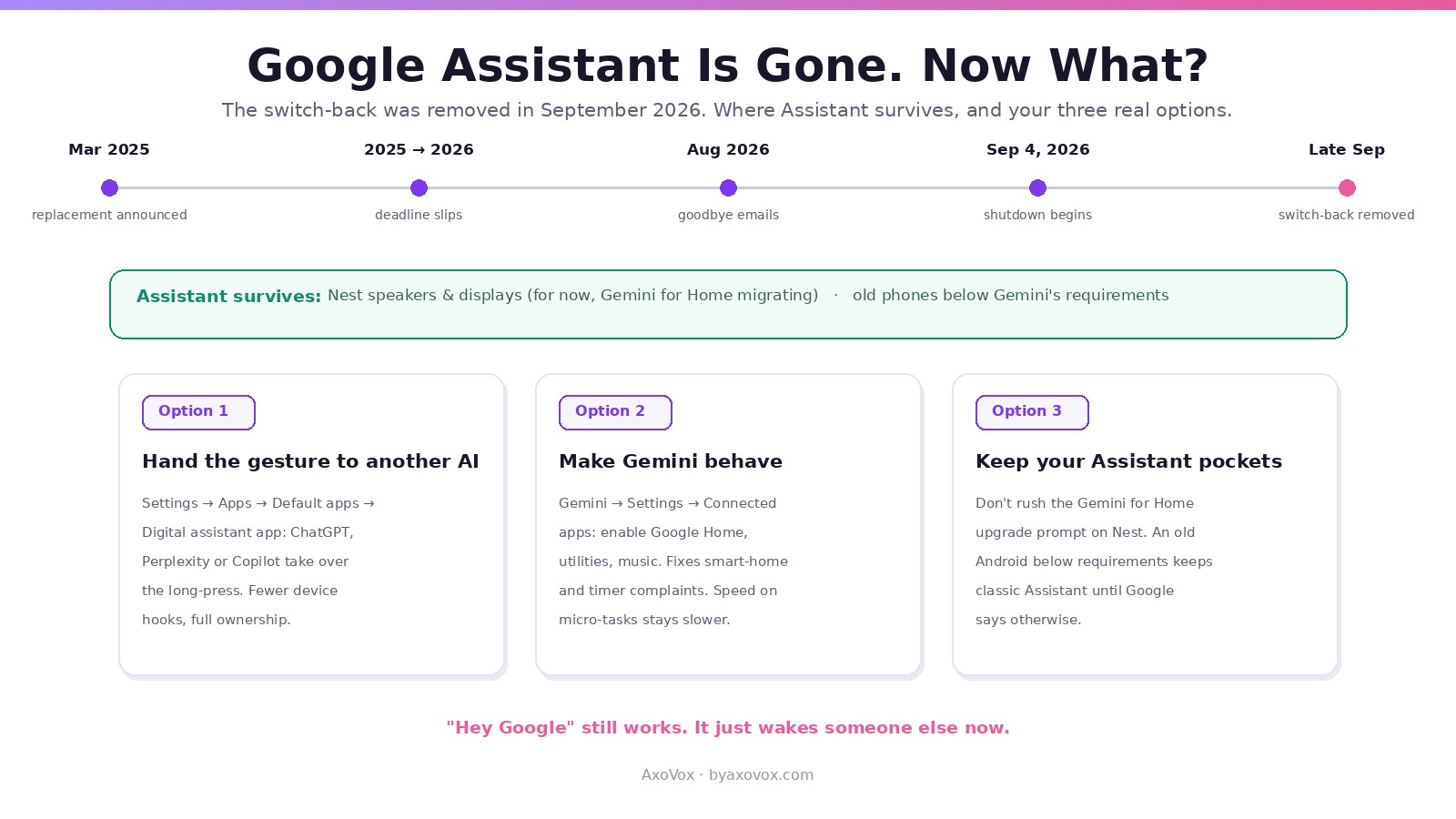
Google removed the switch-back in late September 2026. After emailing users in August that the end was coming, it began shutting Assistant down on phones in early September, and the “Switch to Google Assistant” option then vanished from the Gemini and Google app settings in a late-September app update. On phones, tablets, Wear OS watches, paired earbuds and Android Auto, Gemini is now the assistant, full stop. Here’s what died, who’s exempt, and the escape hatches that still exist, because a few genuinely do.
The 30-second status check
Phones and tablets: switch-back removed, Gemini locked in.
Watches, earbuds, Android Auto: follow the phone, so Gemini there too.
Nest speakers and smart displays: still running Assistant for now, migrating separately via Gemini for Home.
Old phones below Gemini’s minimum requirements: keep Assistant, the accidental winners of this story.
What actually happened (the short timeline)
Google announced in March 2025 that Gemini would replace Assistant on Android “later that year,” missed its own deadline, and pushed the transition into 2026. Through the spring you could still flip between the two. In August 2026 the goodbye emails went out, warning that once availability was removed you would no longer be able to use or switch back to Assistant. Shutdowns began September 4, and by the end of the month the toggle was gone from the apps entirely. Twelve years of “Hey Google” answering with Assistant, closed in an app update.
The frustrating part for long-time users: Google’s own support pages admitted, during the transition, that Gemini still didn’t cover everything, some podcast, news and radio sources, certain third-party music providers, Interpreter Mode, and the advice on those pages was literally “switch back to Assistant.” That door is now painted on.
The escape hatches that still work
1. Replace the default assistant with someone else entirely
- Android still lets you choose which app answers the assistant gesture: Settings → Apps → Default apps → Digital assistant app
- ChatGPT, Perplexity and Copilot can all register there. You lose Google’s deep device hooks, but the long-press becomes yours again, and for ask-me-anything use these are excellent. Worth knowing the option exists even if you stay
2. Make Gemini do Assistant’s chores properly
- Most “Gemini can’t do X” complaints trace to its connected apps being off. In the Gemini app: profile → Settings → Connected apps (Google calls them Extensions/Apps depending on version) → enable Google Home, utilities, music, calendar
- With Home connected, lights, thermostats and routines respond again; with utilities on, timers and alarms behave. In my testing this closes most of the daily-driver gap, speed excepted
- Hate the chat verbosity? Tell it once: “answer in one sentence unless I ask for more,” and it carries the instruction within the conversation; shorter-by-default remains a settings wish
3. Keep the Assistant pockets you still have
- Nest speakers and displays still run Assistant today; migration to Gemini for Home is rolling and, at least for now, optional per home in many regions. If the speaker experience matters to you, don’t rush the upgrade prompt
- An old Android in a drawer that predates Gemini’s requirements is now, absurdly, a collector’s item: it keeps classic Assistant until the servers say otherwise
The feature funeral list (and the workarounds)
Interpreter Mode: gone; Gemini does live translation conversationally, ask it to “translate between English and Hebrew as we talk,” less polished, mostly works. Some radio/news/podcast commands and third-party music sources: inconsistent; the reliable route is opening the app and using Gemini for control once playing, or casting manually. Speed on micro-tasks: timers and toggles run a beat slower through a reasoning model; no workaround, just honesty. What you get back in trade: follow-up questions, camera reasoning, drafting, and answers Assistant could never give. Whether that trade was yours to refuse is a fair complaint; nobody asked.
Common questions
How do I switch back to Google Assistant from Gemini?
On phones, you no longer can: the “Switch to Google Assistant” option was removed in late September 2026, after Google began shutting Assistant down on mobile. The remaining choices are making Gemini behave (connected apps on), replacing the default assistant with a third-party app, or devices that still carry Assistant.
Why did the Switch to Google Assistant button disappear?
Google ended the dual-assistant period: after warning emails in August 2026, Assistant availability on phones was wound down from September 4 and the toggle was removed via a Google app update at the end of that month.
Does any device still have Google Assistant?
Nest speakers and smart displays still run it while the separate Gemini for Home migration rolls out, and older phones below Gemini’s minimum requirements keep classic Assistant for now.
Can I use a different assistant instead of Gemini?
Yes: Settings → Apps → Default apps → Digital assistant app lets you hand the gesture to ChatGPT, Perplexity, Copilot or others. They lack Google’s deepest device hooks but fully own the long-press.
Why won’t Gemini control my smart home like Assistant did?
Usually because Google Home isn’t connected inside Gemini’s settings. Enable it under Connected apps and lights, plugs and routines respond again.
Does “Hey Google” still work?
Yes, the hotword survives; it now wakes Gemini. Voice Match and the gesture triggers carry over unchanged.
What Assistant features does Gemini still not have?
Google’s own transition pages listed gaps including Interpreter Mode, some podcast, news and radio commands, and certain third-party music providers. Conversational workarounds cover some of it; speed on micro-tasks remains the honest loss.
Will Google Assistant come back?
No sign of it: the retirement was announced in 2025, delayed once, and completed on phones in late 2026, with smart home next via Gemini for Home. Plan around Gemini or around a third-party default.