The AI-browser graveyard filled up fast, OpenAI’s Atlas lasted nine months, and I reviewed its obituary on this site. Comet is the one that lived. Perplexity’s browser launched in July 2025 behind a $200/month paywall, went free for everyone that October, spread to Windows, Mac, Android and iPhone, and somewhere along the way became the browser I actually open for client research.
So this review comes from use, not a weekend test drive: Comet handles my research sessions, Chrome still handles my money, and that split IS the review. Let me earn both halves of it.
What Comet is, mechanically
A Chromium browser, so your Chrome extensions, bookmarks and passwords import in one screen and the switch costs nothing muscle-memory-wise, with Perplexity’s answer engine wired into the frame. Three layers:
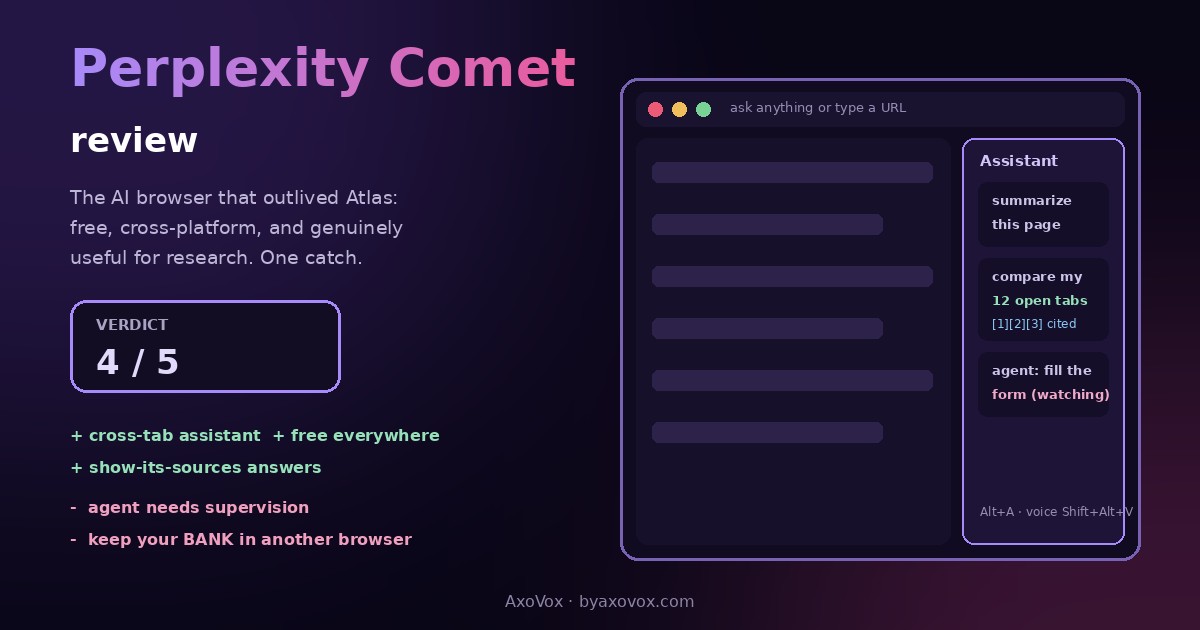
- The Assistant sidebar (Alt+A): sees the page you’re on, answers about it, summarizes it one-click, and, the actual trick, sees ALL your open tabs and reasons across them
- Search itself: the address bar runs Perplexity, cited answers first, links second; Deep Research is built in
- The agent: tell it to do things, fill forms, click through sites, compare across pages, and it drives the browser while you watch. Free accounts get limited agent credits; the heavy autonomous stuff lives in paid tiers
Where it genuinely earns its place
Cross-tab research is the killer feature, and nobody markets it well. Twelve tabs open on a client’s competitors; instead of the copy-paste shuttle into a chatbot, I ask the sidebar “which of these pricing pages mention a free tier, table please” and it reads my mess for me. One outside test clocked about 15 minutes saved per research session from exactly this, and that matches my experience closely enough that I stopped timing.
Summarize-then-interrogate changed how I read. Long documentation, competitor blog posts, a 40-page PDF: summary first, then questions against the page, with the source sentence a click away. This is Perplexity’s show-its-homework DNA, the same trait that wins it the research lane in our Perplexity vs AI Mode comparison, now ambient in every tab.
Voice mode surprised me. Shift+Alt+V, talk to the browser while your hands are in a spreadsheet. Gimmick-sounding, quietly useful.

Where the shine comes off
The agent is a talented intern with no fear. Simple chores land fine: “open these five product pages and build me a comparison table” works most tries. Multi-step missions wander, pick wrong buttons, need supervision; “capable assistant that occasionally needs adult presence” is the fairest line, and reviewers across the board say some version of it. Free-tier rate limits are real if you lean hard; research days hit the ceiling. And Perplexity’s business runs on knowing your questions, so the privacy trade is the usual one: read the settings, turn off what you don’t want remembered.
The security section, which is not optional reading
An AI that reads pages and acts on them can be attacked THROUGH pages. Security researchers demonstrated “CometJacking,” a one-click prompt-injection that turns the assistant against its owner, and the whole agentic-browser category carries this disease, Atlas did too. Perplexity patches, attackers iterate. My house rule, stolen from every sane reviewer and now yours: Comet gets research, reading, drafting and admin; banking, health portals and anything with payment access stays in a boring browser with no agent. Two browsers, two trust levels. This isn’t paranoia, it’s seatbelts.
Pricing, honestly laid out
| Tier | Price | What you get |
|---|---|---|
| Free | $0 | Full browser, sidebar assistant, summaries, voice, Deep Research taste, limited agent credits. Genuinely usable, not a demo |
| Comet Plus | $5/mo | Premium publisher content inside answers (bundled free with Pro/Max) |
| Pro | $20/mo | Better models, fatter limits, more agent credit |
| Max | $200/mo | Background Assistants: agents running tasks while you work elsewhere |
The free tier is the story: full cross-platform AI browser, no card. Atlas gated its agent behind subscription; Chrome’s agentic mode is paid. Being free AND everywhere is Comet’s actual moat.
Verdict
4 out of 5. Best free AI browser you can install today, and the first one whose novelty survived month two for me. Install it if your work involves reading, comparing and researching the web; the cross-tab assistant alone repays the download. Skip it if you want a browser that disappears, Comet wants to participate. And whoever you are, keep the two-browser rule: this thing is brilliant company for your research and the wrong company for your bank account. For a category where the market leader’s attempt is already dead, surviving AND being free is its own review.
Common questions
Is Perplexity Comet free?
Yes: the full browser with the assistant, summaries, voice mode and limited agent credits is free on Windows, macOS, Android and iOS since October 2, 2025. Paid tiers ($5 Plus, $20 Pro, $200 Max) add publisher content, bigger limits and background agents.
Is Comet better than Chrome?
For research-heavy work, the built-in assistant makes it genuinely faster; for everything else it’s Chrome with company, since it’s Chromium underneath and runs your extensions. Most people’s honest setup is both: Comet for research, a plain browser for sensitive accounts.
Is the Comet browser safe?
The browser itself is standard Chromium; the risk lives in the agentic layer, where demonstrated attacks like CometJacking use malicious pages to hijack the assistant. The practical defense: keep banking, health and payment sessions in a non-agent browser and let Comet handle research.
What happened to ChatGPT Atlas, and did Comet beat it?
OpenAI retired Atlas in August 2026 after nine months, folding its features into the ChatGPT app and an extension. Comet outlasted it partly by being free and fully cross-platform while Atlas stayed Mac-only with a subscription-gated agent.
Can Comet actually do tasks for me?
Short, well-defined tasks, yes: open pages, compare, fill a form, build a table. Long multi-step missions need supervision; treat the agent as a fast intern, not an employee.
Does Comet work with Chrome extensions and bookmarks?
Yes: it’s Chromium-based, so extensions install from the same store and the importer pulls bookmarks, history and passwords in one step.
What is Comet’s cross-tab assistant?
The sidebar sees every open tab and can reason across them, “which of these five pages mentions X”, which kills the copy-paste-into-a-chatbot workflow that defines research in normal browsers.
Should I pay for Comet Pro or Max?
Start free; it’s not a crippled trial. Pro earns its $20 if you hit rate limits on real workdays. Max’s background agents are for people whose job is delegating browser work at volume, which is a niche, and they know who they are.