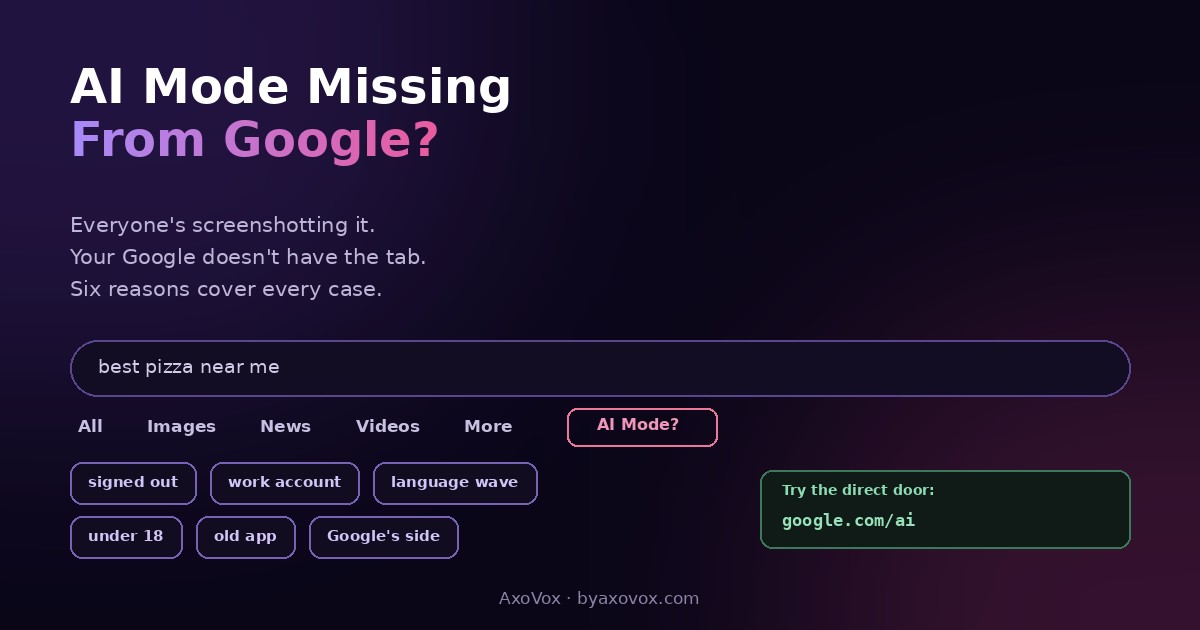
Half your feed is posting AI Mode screenshots, a billion people supposedly use it, and your own Google shows… All, Images, News, Videos. No AI Mode tab. You’ve refreshed, you’ve updated, you’ve squinted at the More menu. Nothing.
The missing tab is almost never a bug. AI Mode eligibility is decided per account and per rollout wave, not per device, which is why your phone can lack the tab while your friend’s identical phone has it, and why it can vanish from an account for a few days and return on its own. Six causes cover essentially every case. Run the list top to bottom; most people find theirs in the first three.
First, try the direct door (30 seconds)
Go to google.com/ai while signed in. That’s an official entrance to AI Mode that skips the tab entirely. If it opens: you HAVE AI Mode, and only the tab placement hasn’t reached your results page yet, purely cosmetic, it’ll come. If it refuses or bounces to normal search, one of the six causes below is in your way.
The six reasons, in order of likelihood
1. You’re signed out (or in the wrong profile)
- AI Mode requires a signed-in personal Google account: incognito windows, guest profiles and signed-out sessions don’t show the tab, on any device
- Multiple accounts on one browser trip people constantly: eligibility follows the account, so switch profiles and re-check. In my testing this alone explains half the “it disappeared” cases
2. It’s a work or school account
- Workspace and education accounts get AI features governed by an admin, and disabled-by-policy is common. Test with a personal Gmail; if the tab appears there, the mystery is your IT department, not Google
- Admins reading this: the switches live in the Admin Console’s Gemini and AI feature settings
3. Your language or region hasn’t gotten the wave
- AI Mode expanded to most of the world, but per language and in waves, and an account set to an unsupported interface language often hides the tab
- The classic unlock: myaccount.google.com/language → set English (US) → wait a few minutes → search again. Same lever that controls AI results appearing in English, working in your favor this time
4. The account is under 18
- AI Mode is adults-only: accounts marked under 18, and supervised child accounts, don’t get the tab. Nothing to fix except the birthday
5. Old app, old browser
- Update the Google app (App Store / Play Store) and your browser, then restart. The tab ships in current versions; ancient ones simply don’t render it
6. Google’s side, not yours
- Even eligible accounts in supported regions report the tab vanishing for a few days during server-side adjustments, then returning untouched. If google.com/ai works and everything above checks out, this is you: annoying, normal, self-healing
While you’re here: AI Mode and AI Overviews are not the same thing
People conflate them daily. AI Overviews is the automatic AI paragraph on top of regular results, no tab needed, no way to fully turn off. AI Mode is the separate conversational tab you enter on purpose, ask follow-ups, get organized answers. You can be missing the tab and still see Overviews everywhere, which is exactly the confusing state most people write in from. What the conversational side actually does, and why it answers differently than search ever did, is the subject of our AI Mode explainer.
Still no tab after all six?
google.com/ai says it’s not available for your account or device. Recheck causes 2-4 in that order; that message is nearly always account-type, age or language.
The tab shows on your phone but not desktop (or reverse). Different sessions, different waves. Confirm the same personal account is active in both; then patience, placement syncs.
It was there yesterday, gone today, no changes made. Cause 6. Check again in a few days before touching anything.
You see a Labs / experiment prompt. Some accounts still get AI Mode via a Search Labs opt-in; if the prompt appears, take it and the tab follows.
Common questions
Why is AI Mode missing from my Google?
Six causes cover almost every case: signed-out or wrong profile, a work/school account with AI disabled by policy, an unsupported interface language or a rollout wave that hasn’t reached you, an under-18 account, an outdated app or browser, or a temporary server-side change on Google’s end.
How do I get the AI Mode tab on Google?
Sign into a personal Google account, update the Google app or browser, set your account language to English (US) if yours isn’t supported yet, and try google.com/ai directly, the official entrance that works even before the tab appears in your results.
What is google.com/ai?
A direct URL into AI Mode. If it opens for you, your account has access and any missing tab is just placement lag; if it refuses, the block is account-type, age, language or rollout.
Why did AI Mode disappear after I had it?
Usually a switched or signed-out account, and otherwise Google adjusting rollout server-side, which users in supported regions report as the tab vanishing for a few days and returning on its own.
Why don’t work or school accounts have AI Mode?
Workspace and education admins control AI features, and many organizations disable them. If a personal Gmail shows the tab on the same device, policy is the answer.
Is AI Mode the same as AI Overviews?
No: Overviews is the automatic summary on top of normal results; AI Mode is the separate conversational tab you open deliberately. Missing the tab doesn’t stop Overviews from appearing.
Does AI Mode cost money or need a subscription?
No, the core feature is free with a personal Google account. Paid Google AI plans add other capabilities, but the tab itself isn’t behind them.
Does changing my language to English (US) affect the rest of my Google?
It changes your interface language across Google services, menus and defaults included. Many people run it happily; if you’d rather not, waiting for your language’s wave is the alternative.