A customer walks in quoting a price you haven’t charged since 2023. Another calls asking if you’re really closed Fridays (you’re not). A third emails your dead address. When you ask where all this comes from, the answer is the same: “ChatGPT told me.” The AI that hundreds of millions of people treat as a knowledgeable friend is confidently spreading your outdated facts.
Here’s the thing that changes how you fix it: ChatGPT doesn’t hold a record about your business that anyone can edit. There’s no database entry, no correction form, no support ticket that updates “your file,” because no file exists. Every answer is assembled fresh from two sources: what the model absorbed in training, and what it finds when it searches the live web. Which means wrong information always has an origin somewhere public, an old directory entry, a forgotten page, a stale post, and the only fix that works is finding that origin and correcting it there. The web is the correction form.
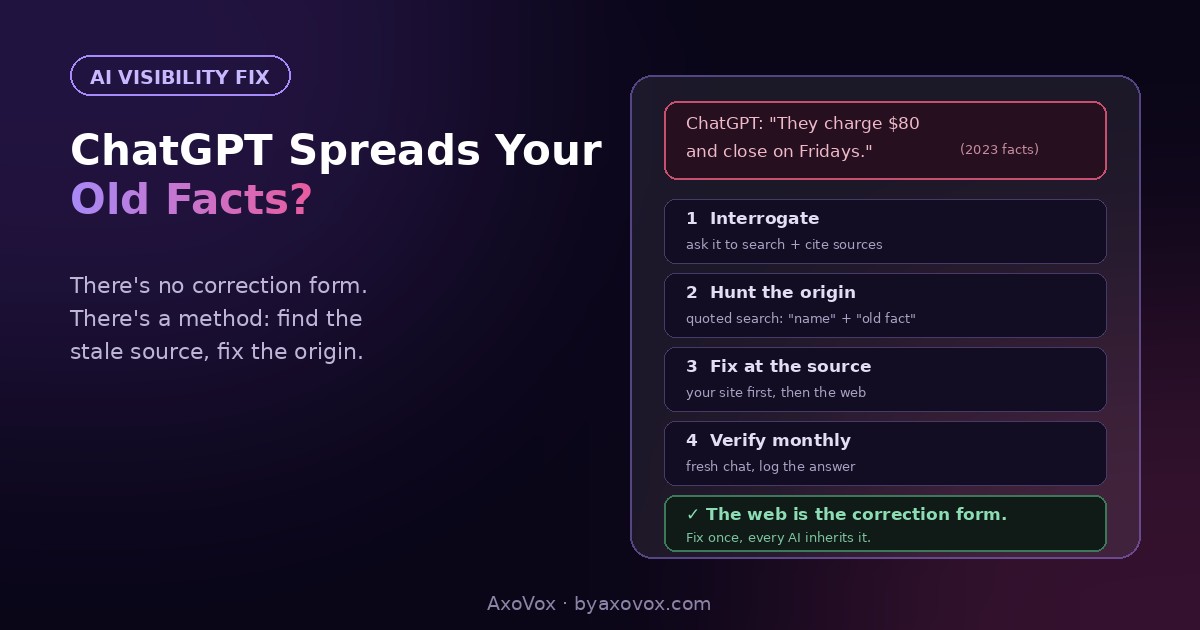
Here’s the method, step by step: interrogate, hunt, fix, verify.
Step zero: make ChatGPT show its work (5 minutes)
Open a fresh or temporary chat (so your own history doesn’t contaminate the test) and ask: “What do you know about [business name] in [city]? Search the web and include your sources.” Then push on the wrong fact: “Where does the information about [the wrong price/hours/address] come from?” When it searches, it cites links, and those citations are your suspect list. Screenshot everything; you’re building a case file.
Why ChatGPT gets your facts wrong
- A stale source it trusts. The most common: an old directory entry, an aggregator that scraped you years ago, a “menu” or price list on some third-party site you forgot exists. ChatGPT found it, it looked authoritative, case closed.
- Your own website’s forgotten corners. An outdated FAQ page, an old promo post with 2023 prices, a stale footer. When your own site contradicts itself, the AI picks a version, not always the right one.
- Training-data memory. When it answers without searching, it leans on what it learned during training, which can be a year or more old. Facts that changed since (prices, hours, location) come out as confident time capsules.
- A neighbor’s facts, or a name-twin’s. Ambiguous names get merged: the AI blends you with a similarly named business elsewhere, and now you serve their menu.
- Old reviews and posts stating old facts. “Great value at $80!” from 2022 is a price citation as far as a machine is concerned.
The find-the-stale-source method
Step 1: hunt the origin (30 minutes)
- Take each wrong fact and search Google for it in quotes with your name:
"Cohen Plumbing" "closed Friday","[business]" "$80","[business]" "[old address]". Every result is a feeding source - Check ChatGPT’s own citations from step zero, they often hand you the culprit directly
- Sweep the usual suspects: old directories, your Google Business Profile (hours and attributes especially), your own site’s every page, old social posts, third-party listing sites in your industry
Step 2: fix at the origin (1-2 hours)
- Sources you control: update or delete. Your site’s stale pages, old posts with dead prices, the forgotten FAQ. Make your own house agree with itself first, it’s the source AI weighs most
- Sources you can edit: directories with owner logins, your Business Profile, social bios
- Sources you can only request: contact the site, ask for correction or removal. Same drill as a wrong phone number on Google, and yes, it’s the same disease: machines reconciling sources, with the stale ones outvoting you
Step 3: outweigh what you can’t fix (ongoing)
- Some origins won’t die: a dead directory nobody maintains, an archived article. The counter is weight: publish the correct fact prominently and repeatedly, current prices/hours/address in text on your site, in schema, on your profile, in fresh posts. AI systems favor fresher, corroborated, authoritative-looking data; make the truth the overwhelming majority
- Fresh reviews mentioning current reality (“moved to the new location on Herzl”) are corrections the machines actually read
Step 4: verify on a schedule (5 minutes, monthly)
- Re-run the step-zero interrogation in a fresh chat monthly. Log what it says
- Expect weeks for web-search answers to update after fixes, and longer for training-memory answers; live-search corrections carry you meanwhile
Why there’s no correction form (and why that’s almost good news)
There’s no button because there’s no record: the answer is generated per conversation from public evidence. The frustrating flip side is a genuinely useful one: you already control most of the evidence. Your site, your profile, your listings, your posts, that’s the majority of what AI reads about a small business, and a business whose public facts are consistent and current is very hard to misquote. The businesses that stay misquoted for months are the ones that fixed one source and stopped.
If the wrong info won’t die
It answers wrong only when it doesn’t search. Training memory. You can’t patch the model, but most business questions trigger a search now, and your fixed web wins those. Time closes the rest with future training refreshes.
You fixed everything and it still cites a stale page. Check whether the page shows fixed to you but is cached or has an old duplicate URL still live; searching the wrong fact in quotes again usually finds the survivor.
It’s blending you with a similarly named business. Ambiguity: pair your name with city and service everywhere, and make sure your About page states plainly who and where you are. The disambiguation evidence is the fix.
It gets facts wrong AND barely knows you. Thin evidence overall, one stale source dominates because it’s most of what exists. The fuller fix is the existence layer: the verification guide first, then this article’s cleanup.
Customers quote wrong info from other AIs too. Same method: Gemini, Copilot and the rest read the same web. Fix the origins once and every assistant inherits the correction on its own schedule.
The habit that prevents the next one
Wrong AI answers are almost always old truths, facts that were correct once and never got buried. So bury on schedule: when a price, address, hour or service changes, update the site, the profile and the top directories the same week, and delete the old versions rather than leaving them “for history.” Then keep the monthly fresh-chat check. Ten minutes a month to hear what the most influential referrer on earth tells people about you is the cheapest quality control in marketing, and once the facts are right, the next league is making it recommend you, not just describe you.
Common questions
How do I correct wrong information ChatGPT gives about my business?
There’s no correction form; answers are generated from public sources. Find the stale origin by searching the wrong fact in quotes with your business name, fix or remove it there, strengthen the correct fact across your site, profile and listings, and re-test in a fresh chat over the following weeks.
Why does ChatGPT say wrong things about my business?
It assembles answers from training data and live web sources, so outdated directories, your own forgotten pages, old posts and reviews, or a similarly named business feed it wrong facts. Wrong answers are almost always old truths still standing somewhere public.
Can I contact OpenAI to fix my business information?
There’s no business-listing correction channel, because no listing exists: nothing is stored about your business to edit. The public web is the record, and correcting it there is the supported path.
How long until ChatGPT stops repeating the wrong information?
Web-search-based answers typically update within weeks of the sources being fixed. Training-memory answers can lag until future model updates, which is why making the live web unambiguous matters most.
How do I see which sources ChatGPT uses about my business?
Ask directly in a fresh chat: request that it search the web and include sources for what it says about your business. The citations it returns are your suspect list for stale information.
Does fixing this help with Gemini and other AI assistants too?
Yes. All major assistants read the same public web, so origin-level corrections propagate to each of them on their own refresh schedules. Fix once, inherited everywhere.