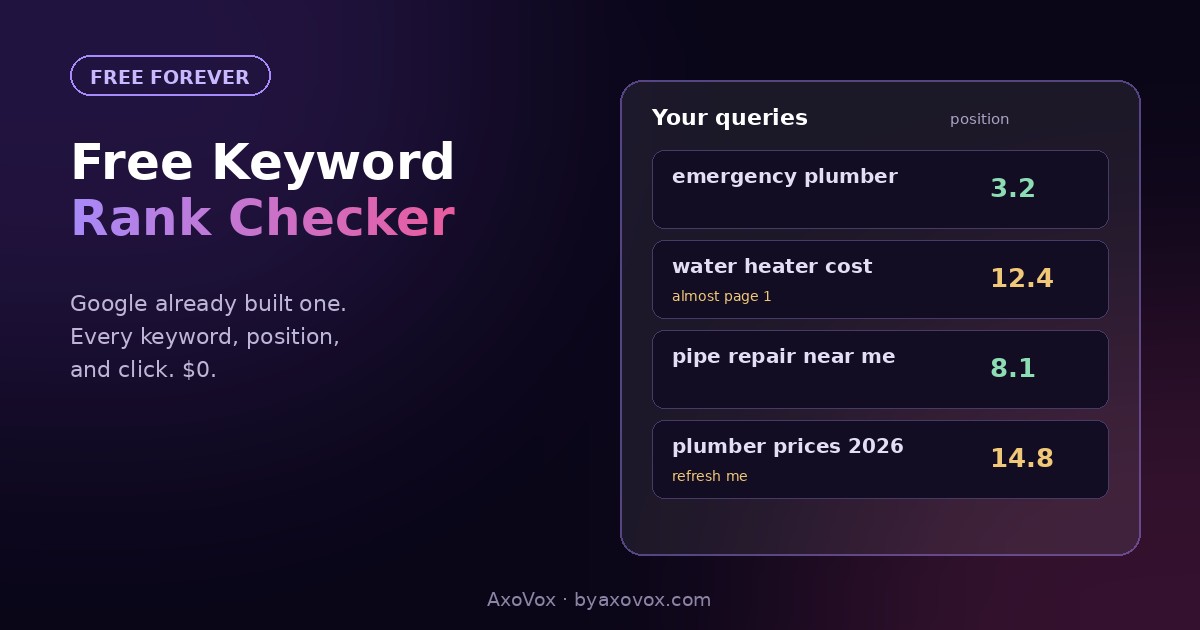
Your website already ranks for keywords. Maybe dozens, maybe hundreds, and most owners have no idea which ones, so they write content by guesswork while a free report from Google sits unread, listing every search their site appears for, with positions, impressions and clicks attached.
No paid tool needed, no SEO subscription. Google Search Console is Google’s own report of your search performance, it’s free forever, and reading it well is the closest thing SEO has to turning the lights on. Here’s where the data lives, how to read it without drowning, and the three moves it immediately unlocks.
The 10-second version (if Search Console is already set up)
Open search.google.com/search-console → Performance → scroll to the Queries table. That’s every search your site appeared for in the last 3 months, with clicks, impressions and average position per query.
Not set up yet? Ten minutes, once, below.
Why not just google yourself?
Because you’ll get a lie, politely. Google personalizes results: your history, your location, your constant visits to your own site all push it higher for you than for a stranger. Owners who “rank #1” for themselves are often position 9 for their customers. And self-searching only checks keywords you thought of; the report’s real gift is the searches you’d never have guessed, which is where the opportunities hide.
Setup and reading, step by step
One-time setup (10 minutes)
- Go to search.google.com/search-console, sign in with a Google account
- Add your site as a property. The “Domain” option covers everything; it verifies through your domain registrar (Search Console shows exactly what to paste where)
- On WordPress with Rank Math or Yoast, the alternate “URL prefix” + HTML tag method takes two minutes
- Data starts collecting from setup; within days the reports fill
Reading the Queries table
- Performance → Search results. Turn on all four metrics at the top: clicks, impressions, CTR, position
- Queries tab: the keywords. Sort by impressions to see where Google shows you most; sort by clicks to see what actually brings people
- Pages tab: which pages do the ranking. Click any page, then back to Queries: now you see that page’s keywords specifically
- Set the date range to 3 months for a fair picture; 7 days is noise
The three moves the data unlocks
- Position 11-20 goldmine: filter queries sitting just off page one with real impressions. These are almost-there pages; a content refresh, better answer structure, and internal links push them over. This is the highest-ROI list in SEO.
- High impressions, low CTR: Google shows you plenty but nobody clicks. That’s a title and meta description problem; preview sharper versions in our free SERP snippet tool before shipping them.
- Surprise queries: searches you rank for accidentally, with no dedicated page. Ranking without trying means demand plus weak competition; build the dedicated page and take the position properly. Some of our own best pages started exactly this way.
What “average position” really means
Position 8.4 doesn’t mean you’re always 8th. It averages every appearance across locations, devices and days, sometimes 3rd, sometimes 15th. Under 10 roughly means page one much of the time; 11-20 means page two knocking; past 30 means present but invisible. Track the trend, not the decimal, and expect it to wobble; wobble is normal.
If the report looks wrong or empty
No data at all. Setup is too fresh (give it days), or the site has an indexing problem, which is a different fix: our indexing guide diagnoses it in ten seconds.
Queries show “(anonymized)” or the totals don’t add up. Google hides rare queries for privacy. Normal; the visible list still carries the signal.
You rank for irrelevant stuff. Also normal, and mostly harmless. Ignore it unless irrelevant queries dominate a money page, which suggests the page’s topic reads muddier than intended.
Impressions but zero clicks everywhere. Check position first: past 20, nobody scrolls there, so the fix is ranking (content, links), not titles. Positions fine but clicks absent: titles and metas, see move #2.
A keyword vanished. Rankings breathe. If a page’s whole cluster dropped at once, re-check indexing and recent site changes; one keyword sliding is weather, not climate.
From knowing to ranking
The report tells you where you stand; moving up is the other half. The overall playbook is our ranking guide, the answer-structure that wins both snippets and AI citations is in the content structure guide, and if you’re starting from “what even is all this,” the plain-language SEO explainer is the on-ramp. Check the Queries table monthly, act on the three moves, and the report stops being a dashboard and starts being a to-do list that writes itself.
Common questions
How do I see what keywords my website ranks for?
Google Search Console, free: Performance → Search results → Queries table lists every search your site appeared for with clicks, impressions and average position. Paid tools like Semrush or Ahrefs add competitor data, but your own rankings come straight from Google at no cost.
Is Google Search Console really free?
Completely, with no premium tier, because it’s Google’s own webmaster reporting, not a commercial SEO product. Setup takes about ten minutes once per site.
Why does Search Console show different rankings than when I google myself?
Self-searches are personalized by your history and location, usually flattering your position. Search Console reports the average across all real searchers, which is the honest number.
What is a good average position in Search Console?
Under 10 means page one much of the time; 11-20 means close enough that a refresh can flip it; beyond 30, you’re present but effectively unseen. The 11-20 band with real impressions is where effort pays fastest.
How do I find keywords I could rank for but don’t yet?
Start with surprise queries already in your report: searches you appear for without a dedicated page. Ranking accidentally signals demand with weak competition, and building the dedicated page usually captures the position properly.
How often should I check my keyword rankings?
Monthly for decisions, quarterly for trends. Daily checking shows only noise; rankings naturally wobble day to day. Set a monthly reminder, run the three moves, done in thirty minutes.