Every AI-marketing thread right now has someone insisting you must add llms.txt to your website, usually with a promise attached: better ChatGPT citations, AI visibility, future-proofing. Meanwhile Google has said, on the record, that it doesn’t use the file at all. Someone here is wrong, and before you spend an afternoon on it, you deserve the actual score.
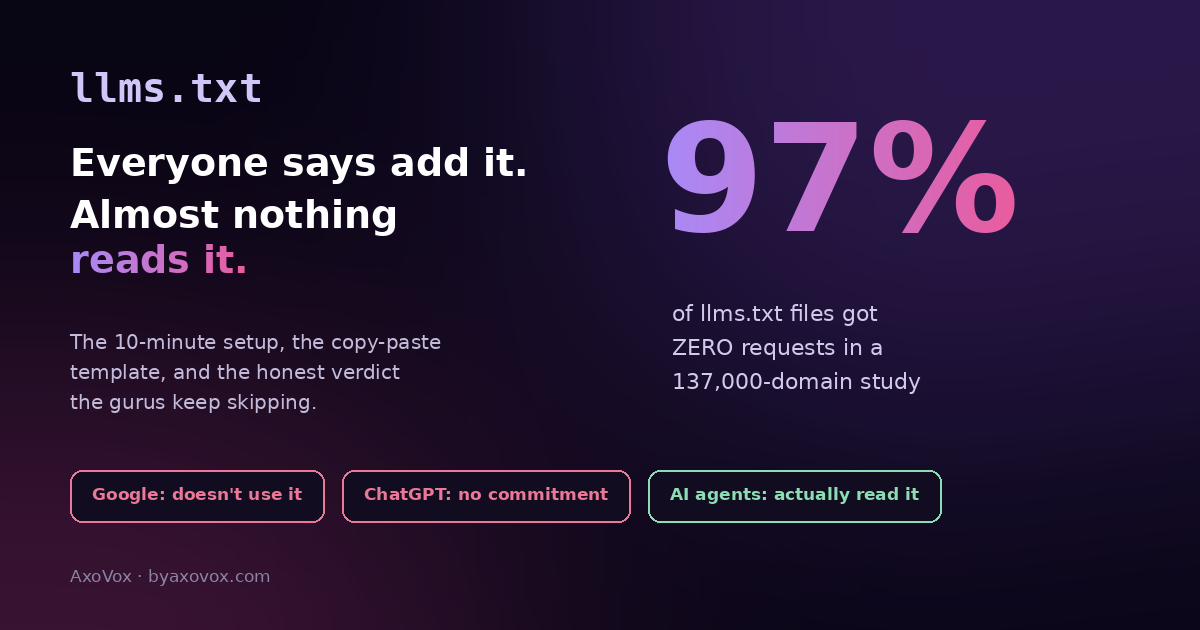
Here’s the honest state of it: llms.txt is a real, simple standard whose promised effect mostly hasn’t arrived. It’s a plain markdown file at your site’s root, proposed in late 2024, that hands AI systems a curated map of your most important pages. The idea is sensible. The reality: Google’s own AI documentation says the file isn’t needed for AI Overviews or AI Mode and Google has stated it doesn’t use it; OpenAI’s crawler docs manage access through robots.txt and don’t mention it; and a large log study found 97% of published llms.txt files received zero requests. Sites adopted it roughly 9x faster over the past year; the machines mostly haven’t come.
So why is this article still a how-to? Because the file costs ten minutes, carries zero risk, and has one genuinely real audience: AI agents and coding tools, the fastest-growing corner of the machine web, do read it, browser tooling has started auditing for it, and the biggest AI companies publish the file for their own docs. Ten minutes for a cheap ticket to a lottery that might matter, as long as you’re not confusing it with the work that actually earns citations. Verdict first, then the setup.
The verdict in three lines
For Google rankings, AI Overviews, AI Mode: does nothing. Google says so directly; skip any guru claiming otherwise.
For ChatGPT citations today: no committed support from any major provider; treat claimed wins as anecdotes.
For AI agents, assistants and the agentic web: genuinely read by a small but fast-growing audience, and the ten-minute cost makes it a reasonable hedge. Add it, then get back to the real work.
The 10-minute setup
Step 1: write the file (5 minutes)
- Copy the template below into a plain-text editor and replace with your pages. Rules: markdown, an H1 with your business name, one blockquote summary sentence, then short sections linking your genuinely important pages with one-line descriptions
- Curate, don’t dump: 10-25 links beats your whole sitemap. The file’s entire point is telling a machine what matters
# AxoVox

> Digital marketing agency for small businesses: SEO, Google Ads,
> and AI visibility, with published prices and free tools.

## Services
- [Services overview](https://byaxovox.com/services/): What we do and pricing
- [Contact](https://byaxovox.com/contact/): How to reach us

## Key guides
- [Rank higher on Google](https://byaxovox.com/blog/how-to-rank-higher-on-google/): Practical SEO for small sites
- [Show up in AI Overviews](https://byaxovox.com/blog/show-up-in-google-ai-overviews/): Getting cited by Google's AI
- [Get recommended by ChatGPT](https://byaxovox.com/blog/how-to-get-chatgpt-to-recommend-your-business/): The evidence AI verifies

## Free tools
- [AI visibility checker](https://byaxovox.com/tools/ai-visibility-checker/): Score the 8 signals AI checks
- [Review link generator](https://byaxovox.com/tools/google-review-link-generator/): One-tap Google review link
Step 2: upload it to your site’s root (3 minutes)
- The file must live at
yourdomain.com/llms.txt, the root, next to where robots.txt lives - On WordPress: hosting panel → File Manager →
public_html→ uploadllms.txt(or create the file there and paste). Some SEO plugins now offer an llms.txt editor, either path is fine - Save with the exact lowercase name:
llms.txt
Step 3: verify and forget (2 minutes)
- Open
yourdomain.com/llms.txtin a private browser window; you should see the plain text - While you’re in the neighborhood, check
robots.txtisn’t blocking AI crawlers, a block there makes llms.txt pointless and costs real visibility (the unblocking guide covers it) - Revisit twice a year or when big pages change. Done
What llms.txt will not do (write this on the wall)
It will not improve rankings, will not get you into AI Overviews, and will not make ChatGPT recommend you: those come from the unglamorous evidence layer, pages structured so fan-out retrieval can quote them, consistent business facts, reviews, and mentions on sites you don’t control. The failure mode we see isn’t adding llms.txt; it’s businesses spending their energy on it INSTEAD of that work, because a file feels like progress and structure feels like writing. Ten minutes on the file, then all remaining hours on the pages. That ratio is the whole strategy.
Questions worth answering straight
“But sites report GPTBot fetching their llms.txt!” Fetching happens occasionally, and fetching isn’t using: no provider has committed to acting on it in production answers. Enjoy the log line; don’t build a strategy on it.
“Google, OpenAI and Anthropic all publish llms.txt themselves!” True, for their developer docs, where AI coding tools genuinely consume it. That’s the one proven use case: if you publish documentation developers point AI tools at, the file earns its keep today. A plumber’s site is a different situation, hence hedge, not strategy.
“Should I also make llms-full.txt?” The companion format inlines full page content for machines. For a small business site: skip it; maintenance outweighs benefit. Docs-heavy sites can revisit.
“Is it at least future-proofing?” That’s the honest bull case: agent traffic is growing, tooling has begun checking for the file, and if a major answer engine ever flips the switch, you’re already there. A cheap option on a possible future is exactly what a ten-minute task should buy.
“How do I know if anything reads mine?” Your access logs (or Cloudflare analytics) for requests to /llms.txt. Expect quiet; celebrate surprises. Meanwhile the AI visibility that pays lives in Search Console’s AI report, watch that number instead.
Common questions
What is llms.txt?
A plain markdown file at a website’s root, proposed in late 2024, that gives AI systems a curated map of the site’s most important pages: a business-name heading, a one-line summary, and short link lists with descriptions. A reading guide for machines, in the spirit of robots.txt but inviting rather than restricting.
Does Google use llms.txt?
No. Google’s AI documentation states the file isn’t needed for AI Overviews, AI Mode or other AI Search features, and Google representatives have said the company doesn’t support it and doesn’t plan to. Nothing about your Google visibility changes with or without it.
Does ChatGPT read llms.txt?
OpenAI manages crawler access through robots.txt and hasn’t committed to using llms.txt in production. Its bot occasionally fetches the file, but fetching isn’t citing; no measurable citation benefit is established.
Who actually reads llms.txt?
AI coding and agent tools are the real consumers today, fetching it when users point them at a site, which is why the major AI companies publish the file for their own documentation. For agent-facing and docs-heavy sites it’s genuinely useful now; for everyone else it’s a low-cost hedge on the growing agentic web.
How do I add llms.txt to WordPress?
Create a plain-text file named llms.txt with your curated page list in markdown, and upload it to the site root (public_html) via your hosting file manager, next to robots.txt. Verify it loads at yourdomain.com/llms.txt. Some SEO plugins also offer a built-in editor for it.
Can llms.txt hurt my SEO?
No. It’s ignored by systems that don’t support it and has no negative effect. The only real cost is opportunity: treating it as the AI-visibility strategy instead of the ten-minute hedge it is.