One day it was just there: a blue-and-purple circle floating above your chats, an “Ask Meta AI” line inside your search bar, a new contact you never added. No opt-in screen, no announcement, and for a long time, no off switch, which is exactly why you’re here.
The short version: WhatsApp finally added a toggle that hides the blue circle, it’s in the Chats settings, and it takes twenty seconds. What still can’t be done: removing Meta AI from the app entirely, since it’s built in like the camera or the search bar. So the realistic goal is making it invisible and inert, and that’s fully achievable. The toggle first, then the fallbacks for phones that don’t have it yet, then the honest list of what doesn’t work.
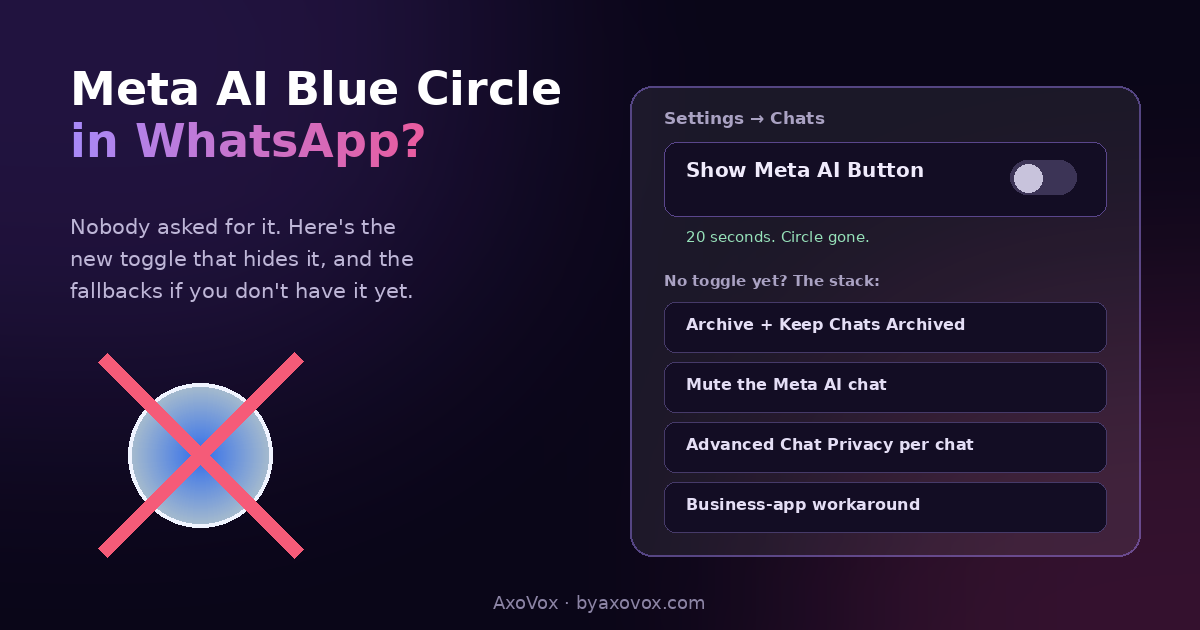
The 20-second fix: hide the blue circle
Android: WhatsApp → three dots (top right) → Settings → Chats → Show Meta AI Button → toggle OFF
iPhone: WhatsApp → Settings (bottom right) → Chats → Show Meta AI Button → toggle OFF
The circle disappears from your chat list. Meta AI still exists in the app (typing @Meta AI in a chat can still summon it), but the thing staring at you all day is gone.
Don’t see the toggle? It’s rolling out in phases. Update WhatsApp from your app store and check again; if it’s still missing, use the fallbacks below, they get you 90% there.
No toggle yet? The fallback stack
Hide the chat itself (30 seconds)
- Long-press the Meta AI chat in your list → Archive
- Then Settings → Chats → turn ON Keep Chats Archived, so it stays hidden even when Meta AI receives an update message. Without this step it crawls back; with it, archived means gone
- While you’re long-pressing: Mute it too. Zero notifications forever
Keep AI out of the chats that matter (1 minute per chat)
- Open a sensitive chat → tap the name → Advanced Chat Privacy → turn it on. Messages in that chat can’t be used with AI features, including someone else in a group summoning @Meta AI on your words
- Worth doing for family groups and anything work-related, whatever you decide about the circle
The nuclear-ish option people actually use
- The WhatsApp Business app (free, works for normal accounts) currently doesn’t push the Meta AI circle in most regions. Back up your chats first (Settings → Chats → Chat Backup), then migrate. In my testing this is the closest thing to a WhatsApp without Meta AI today, at the cost of a “Business” label on your profile
What the circle actually is (and the privacy part)
Meta AI is Meta’s chatbot, wired into WhatsApp, Instagram, Facebook and Messenger. Two facts worth holding at once: your personal chats stay end-to-end encrypted exactly as before, the assistant doesn’t sit inside them reading, but anything you type TO Meta AI is a conversation with Meta, processed on their side, not covered by the same promise. Treat that chat like a public counter, not like your sister’s DMs. WhatsApp’s own documentation at faq.whatsapp.com spells out the boundaries, in more words.
What doesn’t work (save yourself the hour)
Deleting the Meta AI chat: it returns the next time anything pokes it; archive-with-keep-archived is the hold that sticks. Reinstalling WhatsApp: the assistant is part of the installation, so it reappears with the app. Old versions and modded apps: real security risk and ban risk for a cosmetic win, skip. Waiting for a full uninstall option: nothing announced; Meta wants the assistant seen, which is why the off switch took this long to arrive and only hides it.
Common questions
How do I remove the Meta AI blue circle from WhatsApp?
Settings → Chats → Show Meta AI Button → off, on Android or iPhone. The circle leaves your chat list. If the toggle hasn’t reached your phone yet, archive the Meta AI chat and enable Keep Chats Archived for nearly the same result.
Why is the toggle missing on my phone?
It’s rolling out gradually rather than to everyone at once. Update WhatsApp and re-check every week or two; the fallback stack covers you meanwhile.
Can Meta AI be deleted from WhatsApp completely?
No. It’s built into the app like the camera, so there’s no uninstall. Hiding the button, archiving the chat and using Advanced Chat Privacy makes it invisible and inert, which is the practical ceiling.
Does Meta AI read my WhatsApp messages?
Personal chats remain end-to-end encrypted and aren’t read by the assistant. What you send to Meta AI directly is processed by Meta, so keep personal details out of that chat.
What is Advanced Chat Privacy?
A per-chat setting that blocks messages in that chat from being used with AI features, including @Meta AI mentions by other participants. Turn it on in the chats where it matters.
Why does the Meta AI chat keep coming back after I archive it?
Because Keep Chats Archived is off, so any update message unarchives it. Enable it in Settings → Chats and the archive holds.
Does the WhatsApp Business trick really remove the circle?
Currently, in most regions, the Business app doesn’t show the circle, making it the closest thing to a full removal. Back up chats before migrating, and know the trade-off is a Business label on your account, and that Meta can change this anytime.
Will turning the button off disable Meta AI everywhere?
No, it hides the WhatsApp entry point only. Instagram, Facebook and Messenger have their own Meta AI surfaces with their own (fewer) controls.