The genuinely free AI marketing tools in 2026 are fewer than the listicles claim: NotebookLM, the major chatbots’ free tiers, Canva’s free plan, the ad platforms’ built-in AI, and the free tiers of the big email tools. Most everything else advertised as “free” is a trial wearing a costume. We test these for a living at our agency, so here’s the honest split: what stays free after 30 days of real use, what the catch is on each, and the $0 stack that can actually run a small business’s marketing.
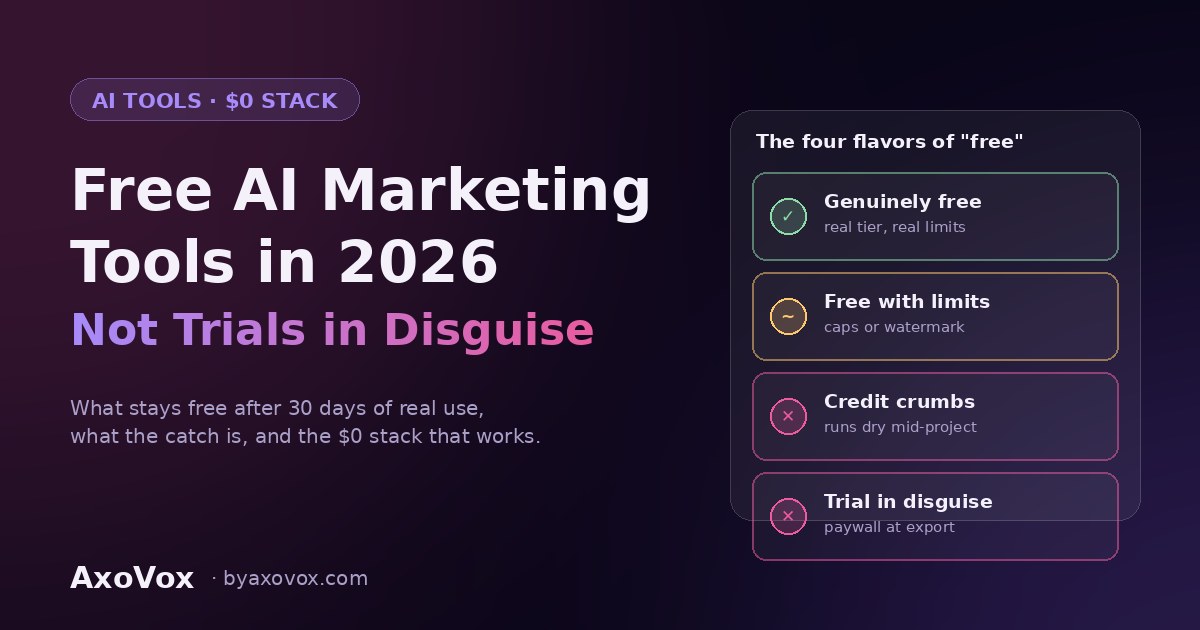
The four flavors of “free” (learn these before downloading anything)
After enough signups, we’ve found every “free AI tool” lands in one of four buckets, and knowing which saves you the disappointment cycle:
- Genuinely free: a real tier with real limits you can live inside. Rare, valuable, listed below.
- Trial in disguise: “free” until day 7 or export time, when the paywall appears exactly where your finished work is standing.
- Credit crumbs: enough monthly credits for two tasks, designed to run out mid-project. Fine for testing a tool, useless for running on.
- Watermark tier: free output stamped with someone else’s brand. For internal drafts, fine; for anything a customer sees, that watermark is their ad on your marketing.
The genuinely free list, by job
Writing and thinking: the chatbots’ free tiers
ChatGPT, Claude, and Gemini all run usable free tiers, with usage caps as the honest limit. Paired with a one-page business brief, a free chatbot outperforms most paid niche writing tools, and that’s not close. The brief-and-edit workflow that makes it work is in our ChatGPT guide. Upgrade trigger: hitting the cap during real work more than twice a week.
Research: NotebookLM (the best free tool in marketing right now)
Google’s research assistant takes your sources (reports, competitor pages, interview notes) and answers questions grounded in them, with citations. Completely free, absurdly capable, still weirdly unknown. We use it to get fluent in a new client’s industry in an afternoon. If you adopt exactly one tool from this page, it’s this one.
Design: Canva’s free plan
Templates, basic AI image tools, and enough to keep weekly social graphics and one-pagers moving. The honest limits: brand-kit enforcement, background removal, and the better Magic Studio features sit behind Pro (~$15/month), which is also the cheapest upgrade on this page when the time comes.
Paid ads: the AI already inside your account
Google’s Performance Max and Meta’s Advantage+ are the same AI that “ad tools” resell, and they cost nothing extra. The one non-negotiable: they optimize toward whatever your conversion tracking reports, so broken tracking plus platform AI equals money burned at machine speed. Free tool, expensive if unsupervised.
Email: the free tiers that built an industry
MailerLite, Brevo, and Mailchimp all offer free tiers that comfortably fit a small business’s first list, automations included on some. Given email’s $36-42 return per dollar, the free email tier is arguably the highest-ROI free product in all of marketing. Limits arrive with list growth, which is precisely the moment the list is paying for its own upgrade.
Measurement: Google’s free trio
Search Console, GA4, and Google Trends aren’t marketed as AI tools, but they’re the free data layer every AI-assisted decision should stand on, and Search Console is where you’ll watch your content’s AI-era performance (impressions, citations signatures, query families). Free forever, no catch, criminally underused.
Video: free with an asterisk
Clip tools like Opus Clip and CapCut run free tiers that genuinely work, with watermarks or monthly caps as the toll. Our honest read: fine for testing whether short video does anything for your business, and the first category worth paying for once it does.
The $0 stack, assembled
Chatbot free tier + NotebookLM + Canva free + built-in ad AI + a free email tier + Google’s measurement trio. That’s writing, research, design, paid, email, and analytics for exactly nothing, and it’s not a compromise setup: it’s most of the same stack we recommend in our full tested tools list, minus the paid accelerators. The constraint you’re actually accepting isn’t capability, it’s hours: free tiers make you do more of the connecting work yourself. For a team rather than a solo operator, the shared-workspace features that keep five people consistent do cost money, and the team setup guide covers when that jump is worth it.
When free stops being the smart choice
Three honest triggers, in the order they usually arrive: you hit chatbot caps during real work (upgrade: ~$20/month, first and most worth it), the email list outgrows the free tier (the list is paying for itself at that point), and a watermark or export wall starts touching customer-facing work. Notice what’s not on the list: “the paid tier has more features.” Features you haven’t missed yet are marketing, not needs. Upgrade on friction, never on FOMO.
Frequently asked questions
What’s the best completely free AI marketing tool?
NotebookLM, and it isn’t close: genuinely free, no watermarks or credit walls, and it does research work that used to take days. For output rather than research, a free chatbot tier with a proper business brief is the strongest free capability in marketing.
Is the free version of ChatGPT enough for a small business?
To start and often for months, yes: the brief-and-edit workflow matters far more than the tier. The honest upgrade point is hitting usage caps during real work repeatedly, at which point ~$20/month buys back more hours than it costs.
What’s the catch with free AI tools?
One of four: usage caps (the honest catch), trials in disguise, credit systems that run dry mid-project, or watermarks on output. Check which before investing setup time, and read what the free tier does with your data; on some consumer tiers, your inputs can be used for training unless you opt out.
Are there free AI tools without watermarks?
For text and research, yes: chatbots and NotebookLM output is unwatermarked. Design and video are where watermarks live; Canva’s free tier keeps most everyday output clean, while free video tools usually stamp exports. If the output faces customers, the watermark tier is a no.
Do free AI tools use my data for training?
Some consumer free tiers can, subject to settings and opt-outs that change often, which is why our rule is simple: no client personal data, credentials, or unreleased plans in any free tier, ever. Business tiers with data controls exist precisely for that work.
When should I switch from free to paid AI tools?
On friction, not features: caps hit during real work, list outgrowing the email tier, watermarks touching customer-facing output. Typical progression for a small business: chatbot first (~$20), Canva Pro second (~$15), then one channel tool where you actually compete. Full priorities are in our tested tools list.
The bottom line
Free AI marketing in 2026 is genuinely good, just narrower than the listicles pretend: about six tools that stay free under real use, and a costume party of trials around them. Run the $0 stack, upgrade on friction only, and put the money you’re not spending on subscriptions into the thing no tier of any tool provides: time actually using them.
Want a second opinion on your stack, free or paid? Tell us what you’re running and what it costs you monthly. We’ll tell you what to cut, what to keep, and what the friction says you’re ready to upgrade, in one honest email.