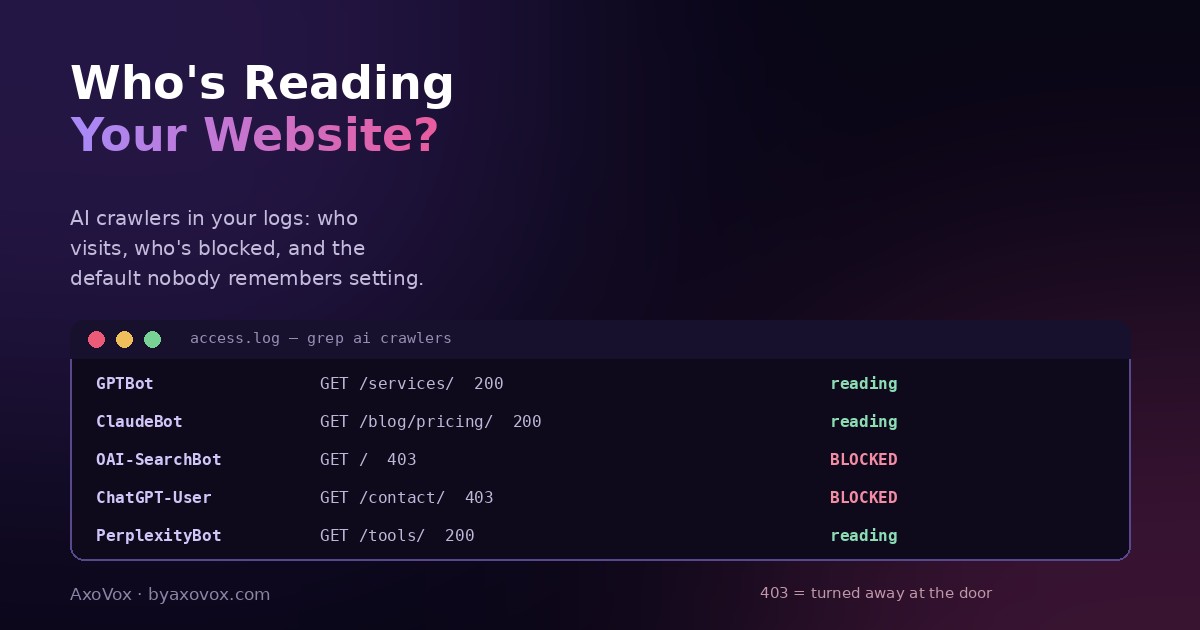
Somewhere in your server logs, machines with names like GPTBot, ClaudeBot and PerplexityBot are either reading your website daily, or being turned away at the door without you ever having decided either. Most owners have no idea which. And in the AI era, that single unknown quietly decides whether assistants can describe, cite and recommend your business.
Two things make this worth fifteen minutes today. First, “AI crawlers” are actually three different animals, training crawlers that feed models, search crawlers that power AI answers, and on-demand fetchers that grab your page live when a user asks about you, and blocking decisions that make sense for one are self-harm for another. Second, the blocking often isn’t your decision: Cloudflare has blocked AI crawlers by default for new domains since mid-2025, and security plugins ship similar toggles, so a meaningful share of businesses are invisible to AI right now because of a checkbox nobody remembers meeting.
Here’s how to see exactly who visits, who’s blocked, and which door settings actually serve you.
The 2-minute outside check (no logins)
Open yourdomain.com/robots.txt in a browser and scan for AI names: GPTBot, OAI-SearchBot, ChatGPT-User, ClaudeBot, PerplexityBot, Google-Extended, followed by Disallow: /. Each such pair is a door you’re closing. A blanket User-agent: * + Disallow: / closes every door at once. No blocks in the file? Good, but robots.txt is only the posted policy; the checks below reveal who’s enforced away anyway.
Know the three animals before judging the guest list
- Training crawlers (GPTBot, ClaudeBot, Meta-ExternalAgent, CCBot, Bytespider): harvest content to train future models. Blocking them is a philosophical choice with little business cost either way.
- Search and answer crawlers (OAI-SearchBot for ChatGPT’s search, PerplexityBot): build the indexes AI answers cite. Blocking these deletes you from those answers, real business cost.
- On-demand fetchers (ChatGPT-User, Claude-User, Perplexity-User): retrieve your page live, at the moment a user asks about you. Blocking these means the assistant literally cannot read your site while a potential customer is asking, the most expensive block of all.
One special case: Google-Extended isn’t a crawler at all, it’s a robots.txt control token telling Google not to use your content for Gemini training and grounding. Regular Googlebot does the visiting either way, and blocking Google-Extended does not remove you from Google Search or AI Overviews.
The three ways to see who actually visits
Way 1: Cloudflare (5 minutes, if you use it)
- Dashboard → your domain → the bots / crawler section: Cloudflare shows AI crawler traffic by name, which bots came, how often, and what was served or blocked
- Critical stop while you’re there: find the AI bots blocking toggle. On newer accounts it’s ON by default. Decide it consciously using the three-animals logic above rather than inheriting it
- Their crawl-insights view also shows the ratio of crawls to referrals, interesting, if humbling
Way 2: your raw access logs (10 minutes, any host)
- Hosting panel → “Raw Access Logs” / “Access Logs” (cPanel, hPanel and Plesk all have them). Download the current log
- Open it in any text editor and search the names:
GPTBot,ClaudeBot,OAI-SearchBot,ChatGPT-User,PerplexityBot,Bingbot. Every hit line shows the date, the page fetched, and the response code - Read the response codes like a bouncer’s ledger:
200= came in and read,403= turned away at the door, that’s your enforcement layer (firewall, security plugin) overriding whatever robots.txt says - Comfortable with a terminal? One line does the census:
grep -iE "gptbot|claudebot|oai-searchbot|chatgpt-user|perplexitybot" access.log | awk '{print $NF, $9}' | sort | uniq -c
Way 3: the live-behavior test (5 minutes, zero tech)
- Ask ChatGPT in a fresh chat: “Open [yourdomain.com] and tell me what this business does.” If it reads and summarizes, the on-demand door is open; if it reports being unable to access the site, something is blocking, work backwards through ways 1-2 to find what
- Repeat in Perplexity for a second opinion; different fetchers, same diagnosis logic
Our honest door policy for a small business
Open: search crawlers and on-demand fetchers, always. These are the paths by which AI answers cite you and read you live for a curious customer; blocking them is refusing to be recommended. Training crawlers: your call, low stakes either way. A publisher monetizing content has a real fight there; a service business mostly doesn’t. Never solve it with a blanket block or an inherited default, the businesses that discover their “AI problem” was a Cloudflare checkbox are legion, and the full unblocking walkthrough lives in our ChatGPT can’t-find-you guide.
Reading the results
Zero AI visits anywhere in the logs. Either everything’s blocked (check Cloudflare and security plugins first, then robots.txt), or your site is thin enough that crawlers deprioritize it. Fix the blocks, then give it weeks; crawl frequency follows your web footprint.
Visits from training bots only, nothing from search or user fetchers. You’re feeding future models but absent from live answers, typically a selective block, or simply no queries about you yet. Test way 3 to separate the two.
Lots of 403s next to bot names. Your firewall or security plugin enforces blocks regardless of robots.txt. Find the AI/bot setting in that tool; robots.txt edits alone won’t reopen an enforced door.
A bot ignores your robots.txt block. Happens, robots.txt is a request, not a wall. If blocking genuinely matters to you, enforce at the firewall level (Cloudflare rules); if visibility matters more, this is a non-problem.
Crawlers visit but AI answers still don’t cite you. Access achieved, evidence not yet: crawling is the entry ticket, citation is won by structure and corroboration, the fan-out playbook and the wider evidence layer. Track progress in Search Console’s AI report for Google’s side.
The 10-minute quarterly habit
Put it on the calendar: robots.txt scan, Cloudflare/security toggle check, one log search, one live-behavior test. Fifteen minutes the first time, ten every quarter after, and it guarantees the most basic fact of AI-era visibility stays true: the machines that decide whether to recommend you can at least read you. Everything else, llms.txt included, is decoration on top of an open door.
Common questions
How do I know if AI bots are crawling my website?
Three ways: Cloudflare’s bot analytics if you use it, searching your raw access logs for names like GPTBot, ClaudeBot, OAI-SearchBot and PerplexityBot, and a live test asking ChatGPT to open and describe your site in a fresh chat. Logs show visits and response codes; the live test shows enforcement.
What’s the difference between GPTBot and ChatGPT-User?
GPTBot is OpenAI’s training crawler harvesting content for future models; ChatGPT-User fetches a page live when a ChatGPT user asks about it; OAI-SearchBot indexes for ChatGPT’s search answers. Blocking training bots is low-stakes; blocking the search and user agents removes you from answers and live reads.
Does blocking Google-Extended remove me from Google Search?
No. Google-Extended is a robots.txt token controlling use of your content for Gemini training and grounding; regular Googlebot crawling, Search rankings and AI Overviews are unaffected by it.
Why is my site blocking AI crawlers without me setting it?
Cloudflare has blocked AI crawlers by default for new domains since mid-2025, and several security plugins ship AI-scraper blocking toggles. Many sites inherit blocks from those defaults; check the toggles before assuming robots.txt tells the whole story.
Should a small business block AI crawlers?
Keep search crawlers and on-demand fetchers open: they’re how AI answers cite and read you for customers. Training crawlers are a judgment call with little business impact either way. Avoid blanket blocks and inherited defaults.
AI bots crawl my site but never cite it. Why?
Crawling is access, not endorsement. Citation is earned by liftable structure, concrete answers and corroborating evidence across the web. With the doors open, that content work is where the visibility actually comes from.